
Group members
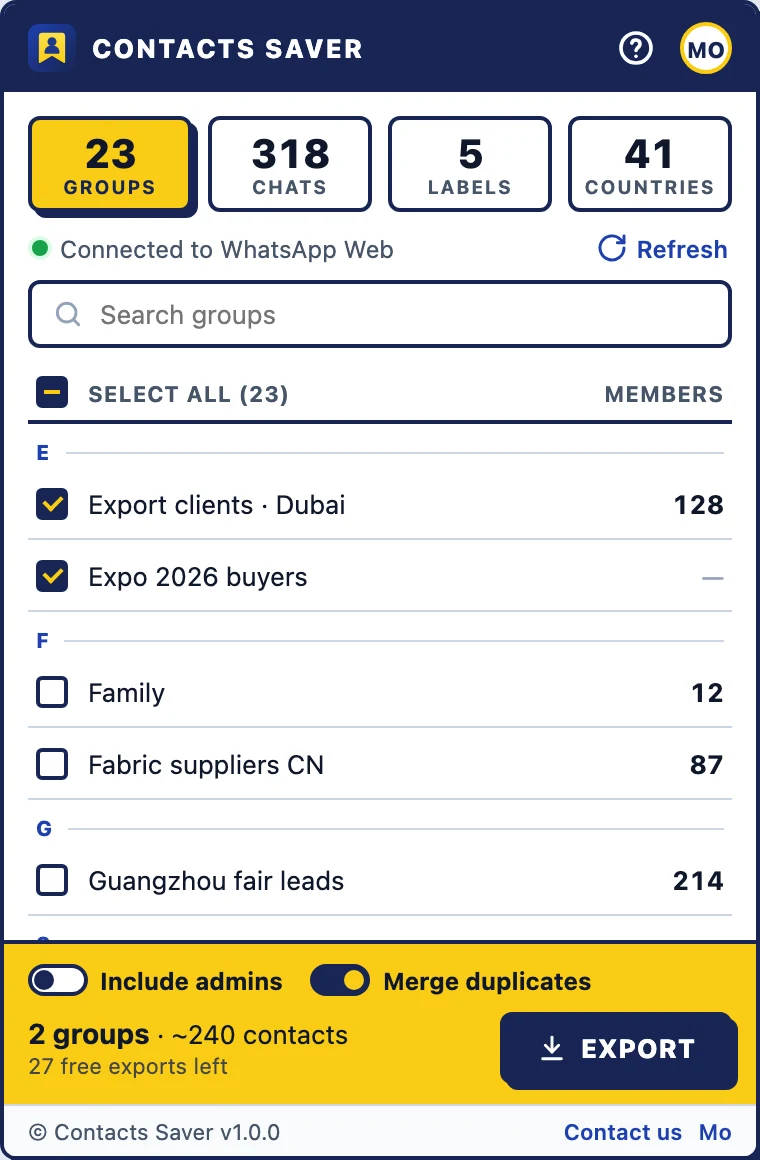
Export participants from one group or hundreds at once. Include or skip admins with one switch, and merge people who appear in several groups into a single row.
Contacts Saver is a free Chrome extension that exports WhatsApp group members, chats, Business labels and contacts by country to Excel, CSV, JSON or vCard. Right inside WhatsApp Web, with no copy-pasting.
| Phone Number | Country |
|---|---|
| +971 50 123 4567 | United Arab Emirates |
| +1 416 555 0199 | Canada |
| +91 98765 43210 | India |
| +52 55 1234 5678 | Mexico |
Open WhatsApp Web, tick the groups you want and click Export. Contacts Saver collects every member's number, merges people who are in several groups and saves a ready-to-use spreadsheet.
Pick exactly the people you need. Every source supports all four file formats.
Export participants from one group or hundreds at once. Include or skip admins with one switch, and merge people who appear in several groups into a single row.
Export everyone you have a personal chat with, or only the numbers saved in your address book.
Export customers you tagged "New customer", "Paid" or any other label, each listed once.
Filter by country code. Shared codes are split by area code, so +1 numbers land in the USA, Canada, Jamaica or Puerto Rico, and +7 numbers in Russia or Kazakhstan.
Log in at web.whatsapp.com on your computer, the same way you always do.
Click the Contacts Saver icon in your toolbar and tick what you need. Search helps when you have hundreds of groups.
Choose Excel, CSV, JSON or vCard. Stop a long export any time and still keep what was collected.
A real Excel workbook, not a renamed CSV. Sort, filter and share it right away.
Saved with a BOM, so Arabic, Hindi, Chinese or Cyrillic names open correctly in Excel and Google Sheets.
Clean, structured rows for developers and CRM imports.
Save WhatsApp contacts to your phone, Google Contacts or iCloud in one go.
Each row includes country and country code, phone number (plain and formatted), saved name, public WhatsApp name, whether the number is in your contacts, business account, blocked status, labels, group name, and the date and direction of the last message. Last-message text is optional and off by default.
| Country | Phone Number | Public Name | Group Name |
|---|---|---|---|
| United Arab Emirates | +971 50 123 4567 | Ahmed | Export clients · Dubai |
| Canada | +1 416 555 0199 | Sarah J. | Expo 2026 buyers |
| India | +91 98765 43210 | Priya | Export clients · Dubai |
| Mexico | +52 55 1234 5678 | Carlos M. | Expo 2026 buyers |
| Kazakhstan | +7 701 555 0123 | Aigerim | Fabric suppliers CN |
Contacts Saver reads what WhatsApp Web has already loaded in your browser and writes the file straight to your Downloads folder. Phone numbers, names and messages are never uploaded to our servers. The extension only runs on web.whatsapp.com and asks for the minimum permissions: storage and access to WhatsApp Web.
Read our privacy policyNo cloud copy of your contacts, ever.
Reads data already loaded and only fetches more when you ask, so your chats stay fast.
Storage, plus web.whatsapp.com. Nothing else.
Turn trade-show, supplier and buyer groups into a lead list for your CRM.
Keep an up-to-date member list of every group you run.
Back up labelled customers before you switch phones or accounts.
Get a copy of your WhatsApp contacts into your phone or a spreadsheet.
Try every feature and format with full exports. After that, each export downloads the first 10 rows.
Unlimited rows, every format including vCard, priority email support.
Short, practical walkthroughs with screenshots and video.
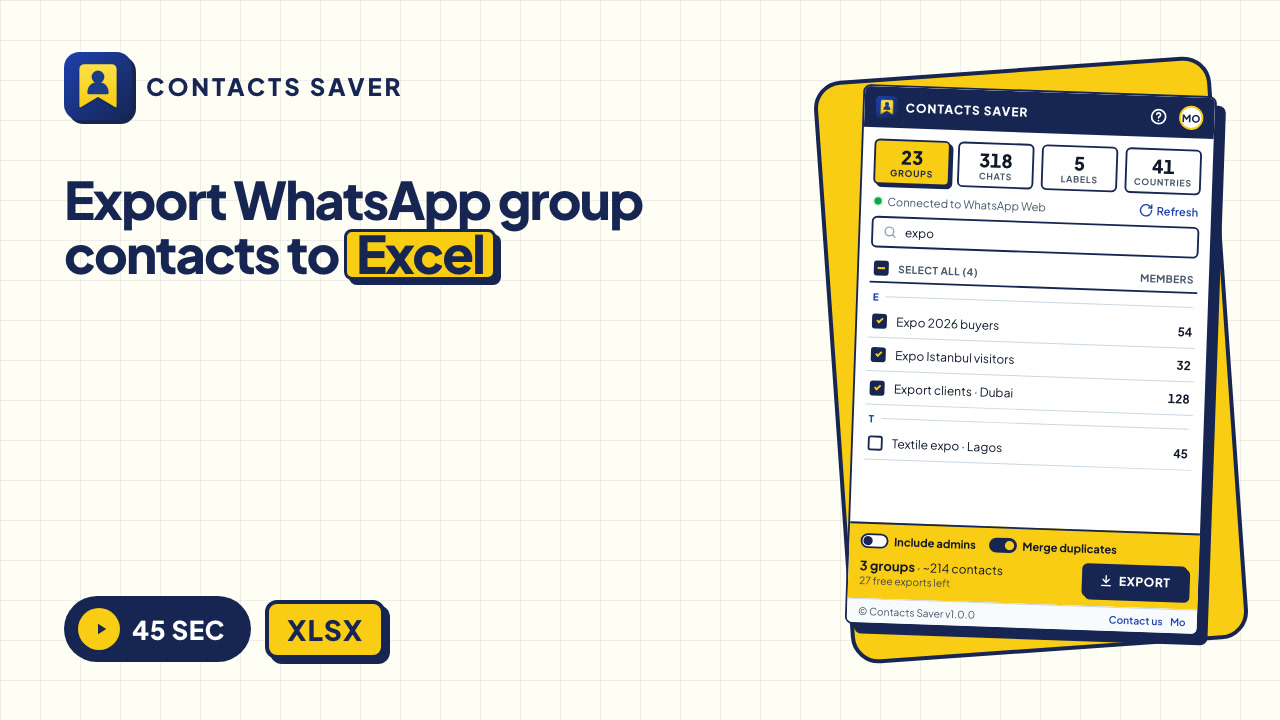
Export the members of one or many WhatsApp groups to an Excel sheet with numbers, names and countries. Six steps, 45-second video.
5 min read · 6 steps
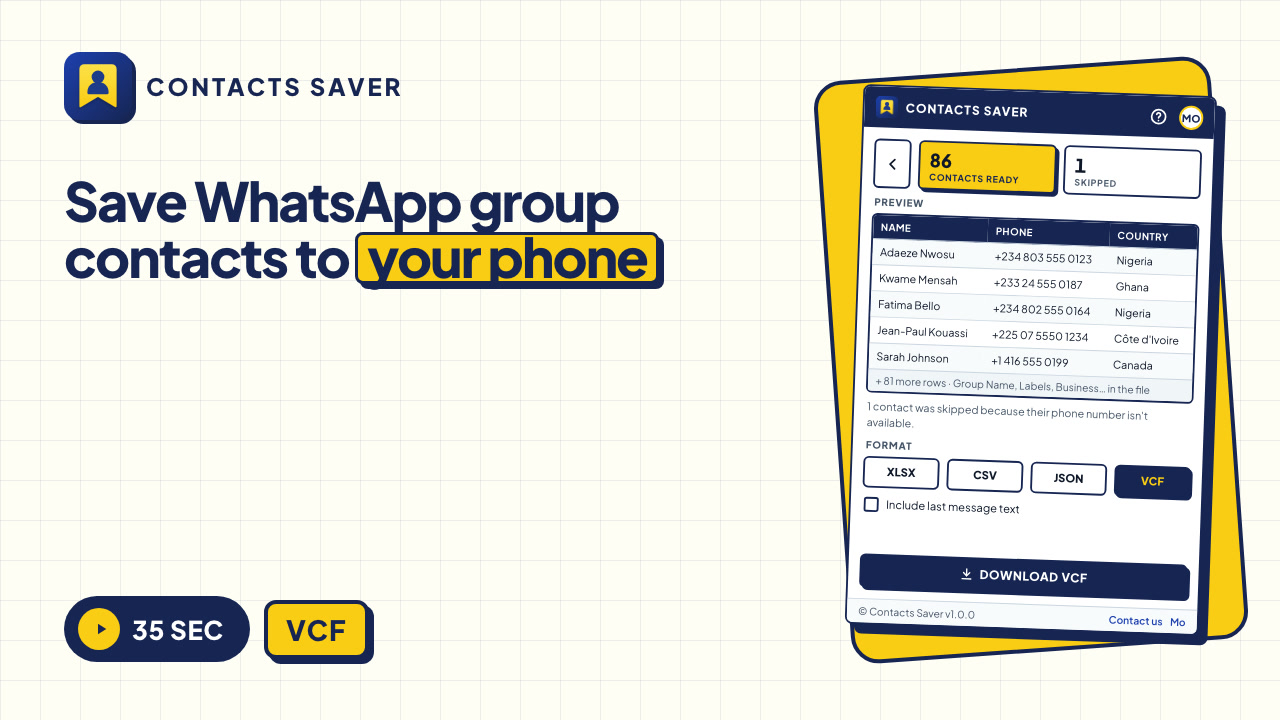
Save group members you haven't saved yet to Android or iPhone in one go, using a vCard file.
5 min read · 4 steps

Turn your WhatsApp chat list or saved contacts into a UTF-8 CSV for Google Sheets, Excel or your CRM.
5 min read · 4 steps
Install Contacts Saver, open WhatsApp Web, click the extension icon and tick the groups you want on the Groups tab. Click Export and choose Excel (.xlsx). The file downloads with every member's phone number, country and name.
Yes. You get 30 full exports in every format, vCard included. After that, each export includes the first 10 rows and vCard requires VIP. VIP removes all limits.
Yes. Any member can see a group's participants in WhatsApp Web, so any member can export them. The export only includes people you can already see in WhatsApp.
Export in vCard (.vcf) format, then open the file on your phone, or import it into Google Contacts or iCloud. All contacts are added in one go. Our save-to-phone guide has Android and iPhone steps.
No. Contacts are processed inside your browser and saved directly to your computer. We only receive an anonymous install ID, the extension version and your language, which we need for free-export counting and VIP.
Exporting reads data WhatsApp Web has already loaded and sends no messages, so it doesn't behave like spam. Account restrictions usually come from what happens next, like mass messaging people who didn't agree to it. Read how to use exported contacts responsibly.
Free to install. 30 full exports included. Works in Chrome and Edge.